




What Exactly Is InSnoop?
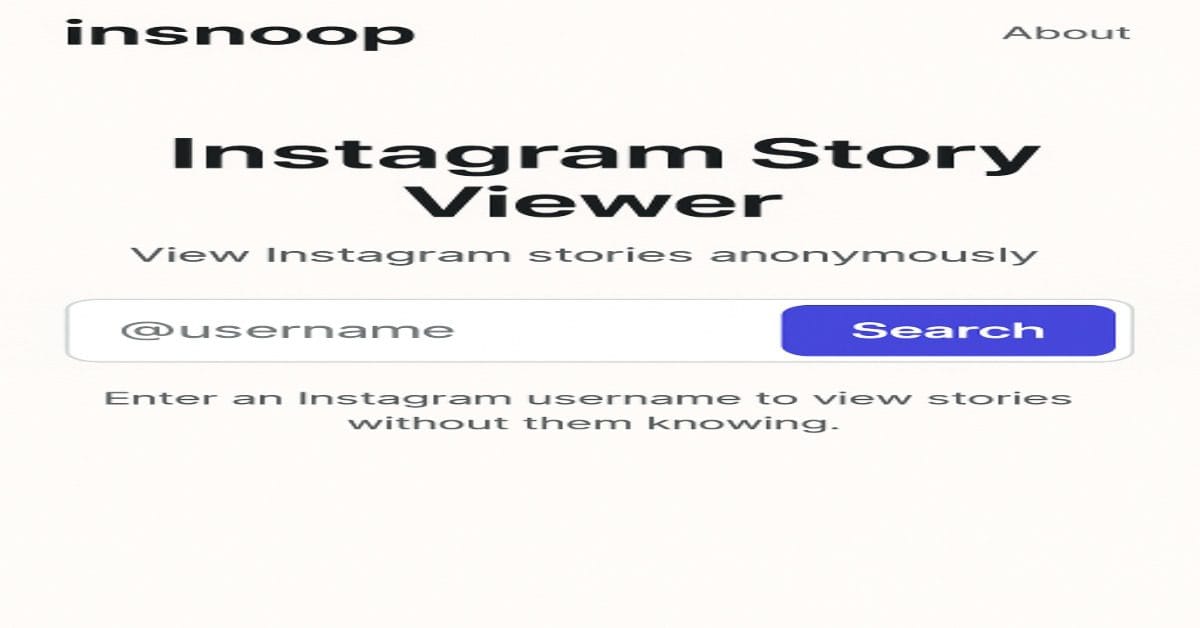
Let’s dive right in. InSnoop is basically a web-based tool that lets you peek at someone’s Instagram Story or Highlight anonymously no login, no trace, no “seen” notification. Kind of sneaky but fascinating, right? All you do is plug in the IG username of a public account, and voilà you get to view and even download their stories.
I stumbled upon it while wondering if I could check a friend’s story without them knowing call it harmless curiosity. Next thing I know, I’m exploring features like downloading highlights and scrolling through without leaving a digital footprint.
What Makes InSnoop Actually Cool
Private Story Viewing No “Seen” Notification
InSnoop’s selling point? Zero footprint. The person posting the story won’t see you in their viewers list. Perfect for low-key binge-watching without drawing attention.
Download Stories and Highlights
Here’s something I genuinely appreciated high-quality JPEGs and MP4s at your fingertips. Save that epic behind-the-scenes clip or a funny highlight before it vanishes. Super handy.
No Login. No Hassle. Pure Browsing Joy
No need for accounts or credentials. Just go to the website, type in a username, and you’re good. I’m always a sucker for frictionless experiences like this.
Works on Any Device
Whether you’re on your phone, tablet, or laptop, InSnoop works seamlessly across platforms. I’ve tried it on both mobile and desktop both times felt smooth.
But Wait Is That Ethical?
Honestly? It’s a gray area. Some folks use it for harmless curiosity (we’ve all been there), while others might find it invasive. One reviewer simply warned: “use responsibly and with consent.” Fair advice.
Also, there’s chatter about connection issues, like “Server Unavailable” hiccups. I ran into that once or twice it’s annoying but not a deal-breaker.
So yeah use with discretion. Always remember: just because you can, doesn’t mean you should.
How to Use InSnoop
Wouldn’t hurt to look a bit more practical so here’s a quick how-to:
- Visit insnoop.com.
- Enter the Instagram username of a public profile.
- Wait a few seconds…
- View (and optionally download) their Stories or Highlights.
Who Might Use It (and Why)
Digital Marketers & Brand Watchers
Ever want to spy (professionally speaking) on a competitor’s IG story style? InSnoop helps you study trends secretly.
Influencers Looking for Inspiration
I mean, who doesn’t want to see how others structure their highlights or the kind of content they drop? InSnoop lets you do it quietly.
Casual Users
Let’s be real sometimes you just wanna see what’s up, but you’d prefer to remain unseen. InSnoop’s got your back.
Is InSnoop Safe?
Here’s the truth: InSnoop is relatively safe for casual use, but not flawless.
Why It Feels Safe:
- No login required You don’t hand over your IG credentials.
- SSL encryption The site uses HTTPS, which means data is encrypted.
- Free access You don’t have to pay or register, so no billing info needed.
Risks to Consider:
- Public accounts only If the profile is private, it simply won’t work.
- Server glitches Sometimes the site shows “Unavailable” errors, which can be frustrating.
- Ethical concerns Sneakily watching someone’s content might not sit well with everyone.
- No guarantees on data use Since it’s a third-party tool, you never fully know how your browsing data is handled.
5 Best Alternatives to InSnoop
If you’d rather try other tools (or if InSnoop isn’t working), here are five decent alternatives:
1. StoriesDown
- Clean, minimal design.
- Lets you view and download public IG stories anonymously.
2. IGStories
- Works on mobile and desktop.
- Offers fast downloads for stories and highlights.
3. Dumpor
- Popular tool with a solid user base.
- Allows browsing profiles, stories, and tagged content.
4. InstaNavigation
- Focused on story viewing + downloading.
- Slightly faster loading times than InSnoop.
5. StorySaver.net
- Great if you mainly want downloads.
- Works well with Chrome and mobile browsers.
Pros & Cons at a Glance
Pros:
- Fully anonymous browsing no traces.
- Downloadable content save stories or highlights.
- Free and no sign-up easy as pie.
- Device-Friendly and simple UI.
Cons:
- Only works with public Instagram accounts.
- Occasional glitches like server errors.
- Ethical questions just something to be mindful of.
Real-World Thought
I’ll admit I tried it the first time because of a little FOMO. And let me say: it was too easy, kind of unsettling how quietly you can watch someone’s story. There’s that moment of, “Am I that person?” But like any tool doesn’t mean we always use it the right way.
But for creators or marketers, I do see the appeal. Watching competitor content quietly (no pun intended) is helpful for research without appearing nosy.
FAQs
Q: What does the insnoop tool do?
A: It lets you view Instagram Stories and Highlights anonymously and download them no login needed. Works only for public profiles.
Q: Is using InSnoop safe?
A: Pretty much. It doesn’t collect personal data, uses SSL encryption, and you don’t need to log in with your IG credentials.
Q: Can you download stories via InSnoop?
A: Yep, you can both photos and videos, usually in JPEG and MP4 formats.
Q: Are there any downsides?
A: Besides occasional connection issues, the main limitation is it only works on public accounts, and there’s an ethics caveat use thoughtfully.
Final Thoughts
So, is InSnoop the perfect spy tool? yes and no. It’s definitely cool if you want anonymous IG story viewing and downloads without the fuss of logins. It’s free, simple, and pretty effective but let’s not pretend the ethics aren’t weird.
As with most things, the real issue isn’t the tool, but how you use it. Personally, I’d try it once or twice for fun or research but transparency and respect still matter.
If you’d like tweaks or want this customized for your blog or site just holler.